Mediation — Late Reset Submission
A Late Reset Request is required when you need to reschedule a mediation but standard rescheduling is not available, such as when the new date is within 5 days of the currently scheduled mediation or beyond 75 days from the original case filing date. The request is reviewed by WCA Mediation staff before the new date is confirmed.
When to use a Late Reset Request
| Situation | Description |
|---|---|
| Within 5 days of scheduled mediation | Standard rescheduling is not available. Submit a Late Reset Request instead. |
| Beyond 75 days from case filing date | Standard rescheduling is not available. Submit a Late Reset Request. |
| Emergency or unforeseen circumstances | Even when standard rescheduling is available, contact WCA directly if you need an immediate response. |
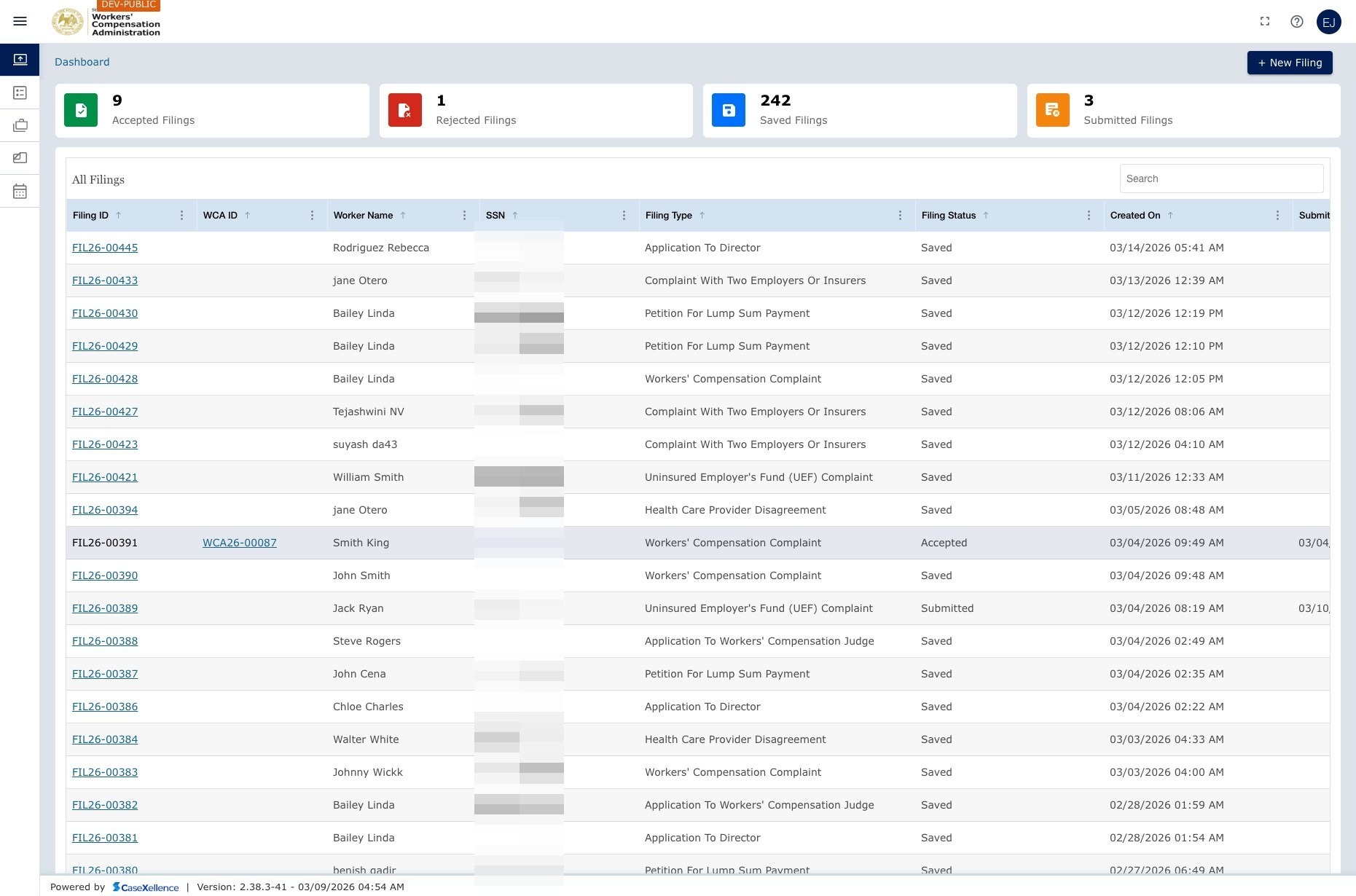
Open Late Reset and add the request
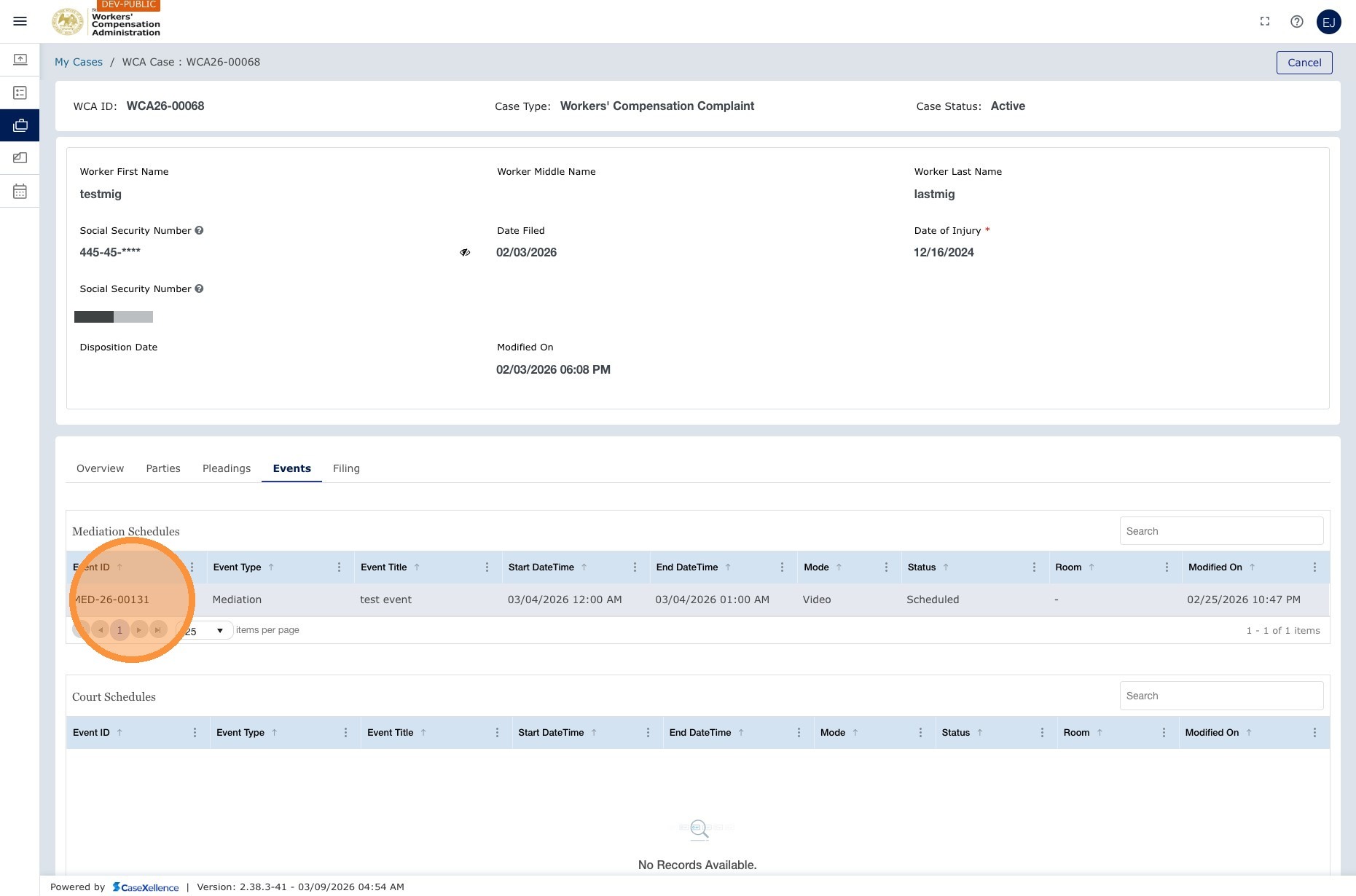
Navigation: My WCA Cases → click the case → Events → click the mediation event → Late Reset Request
1. Open the case and events
- Go to My WCA Cases and open the relevant case.
- Open the Events section and click the scheduled mediation event.
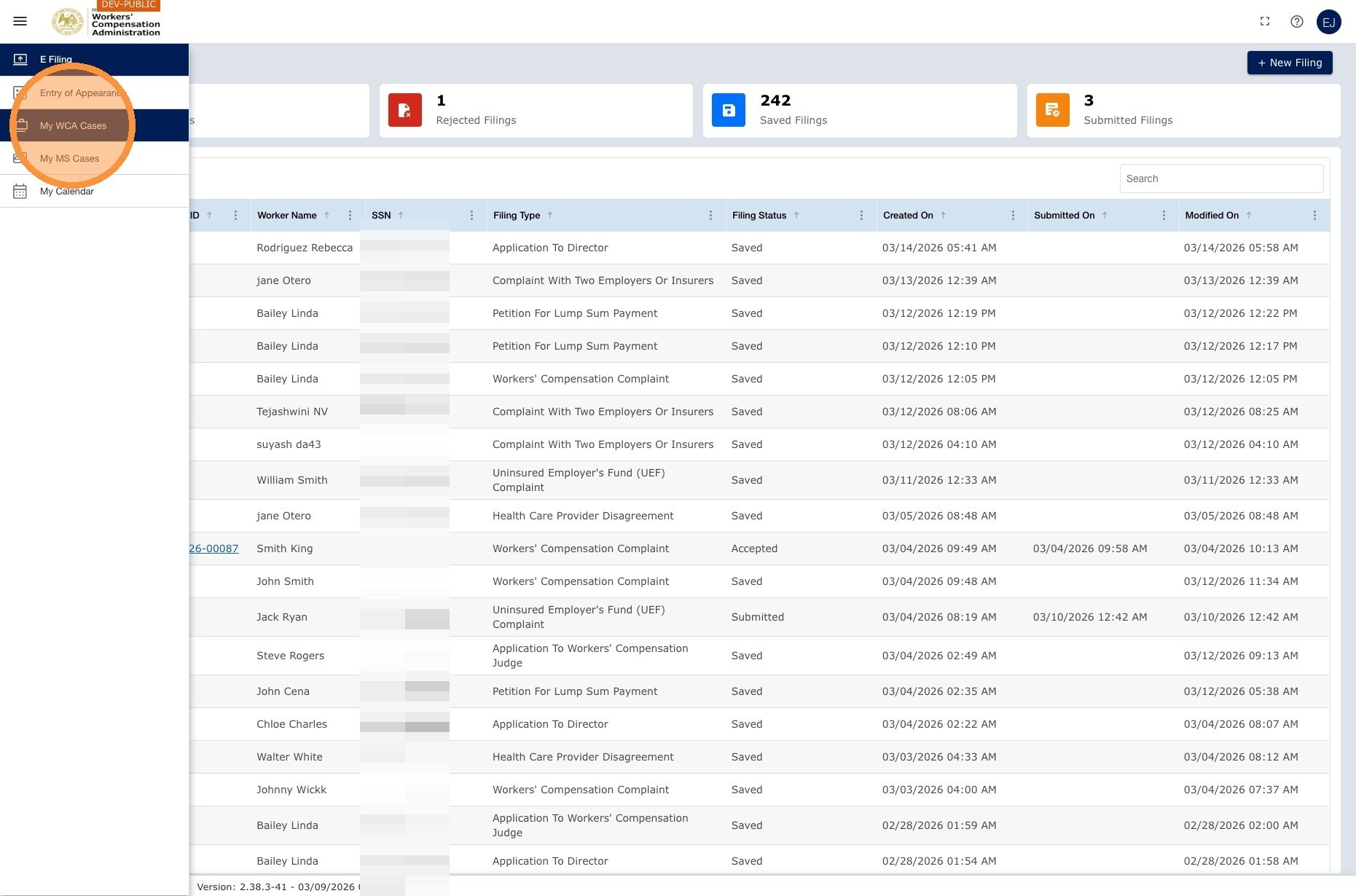
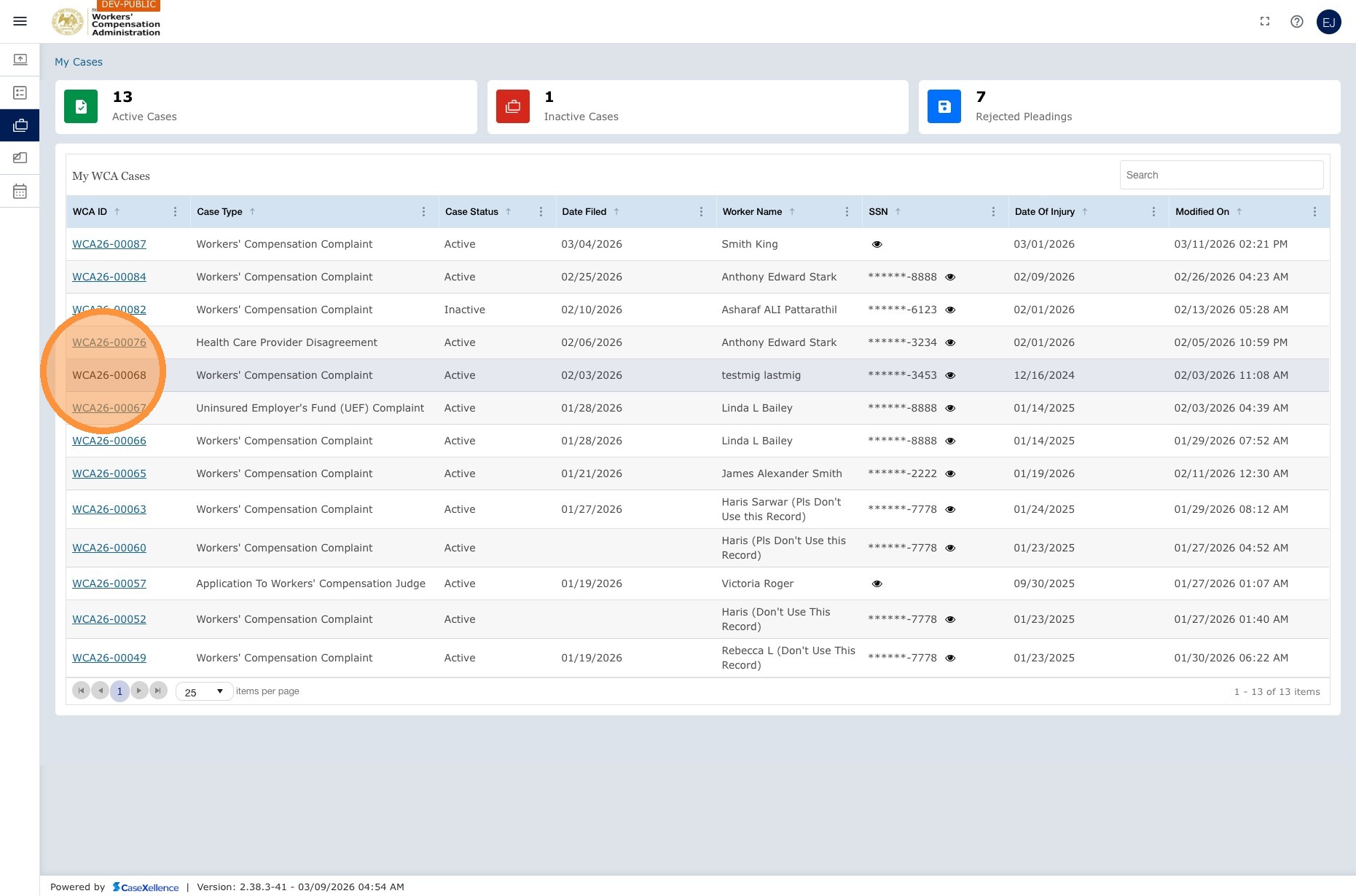
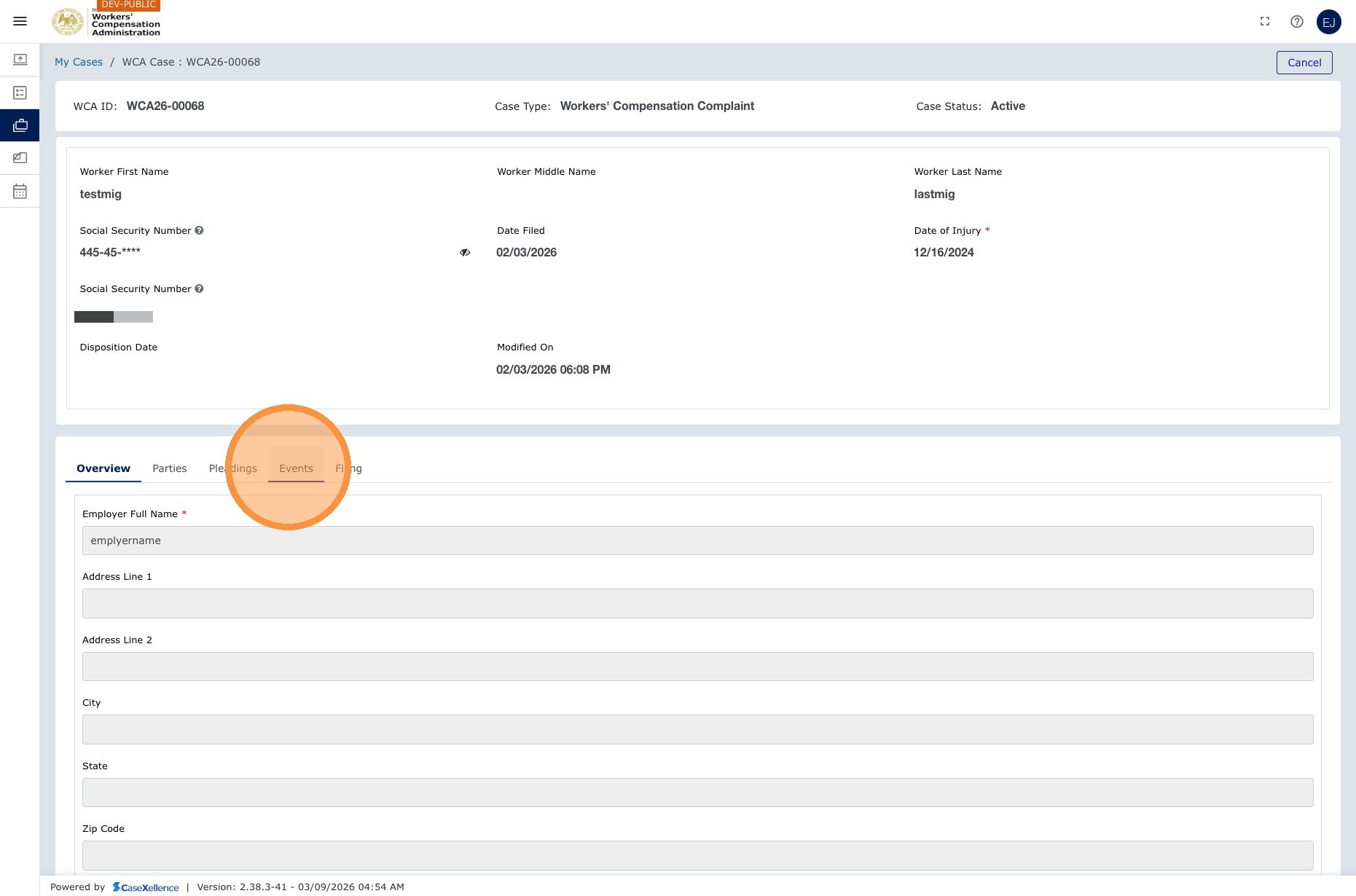
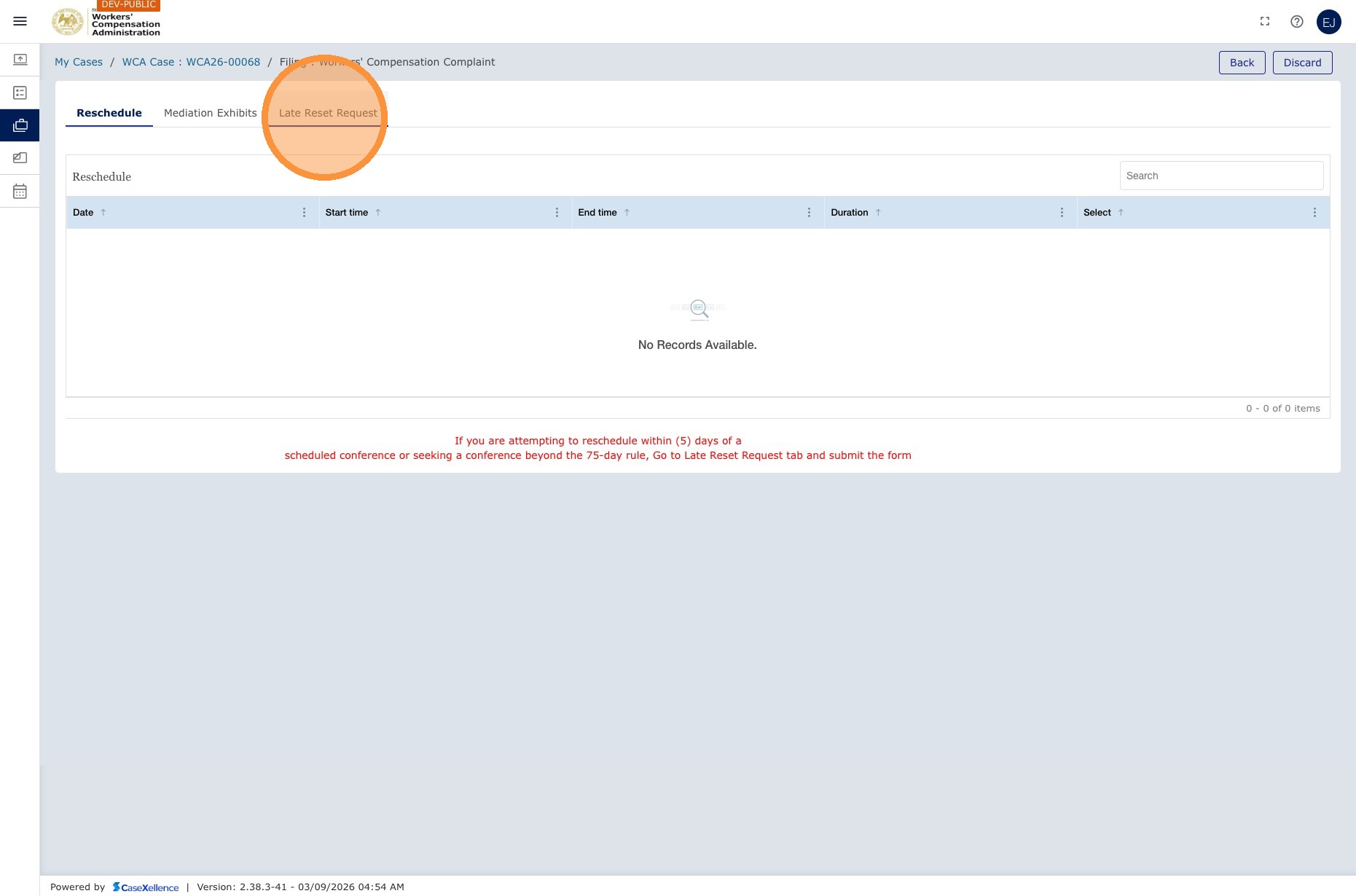
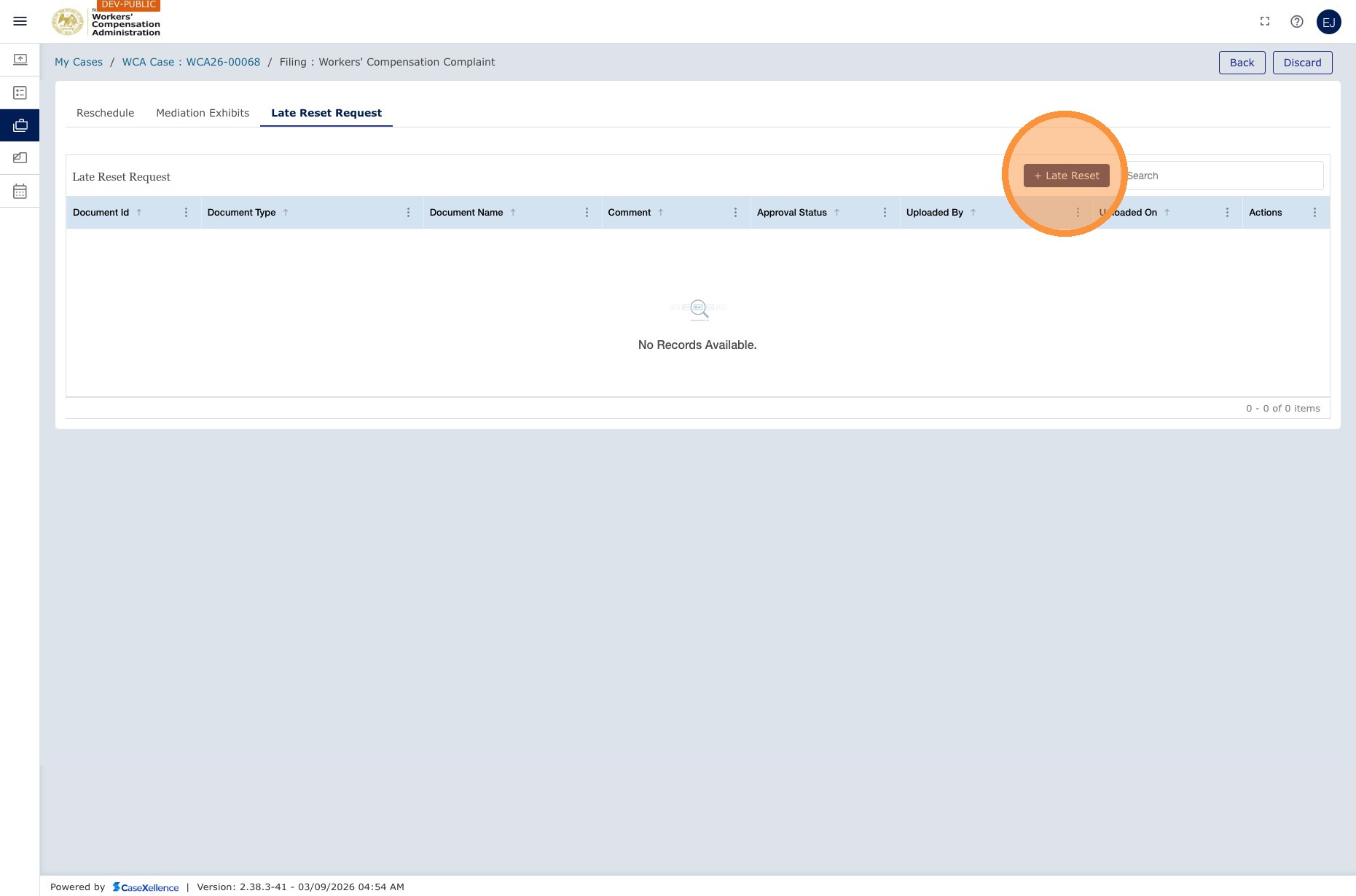
2. Open Late Reset and add request
- Click the Late Reset Request tab.
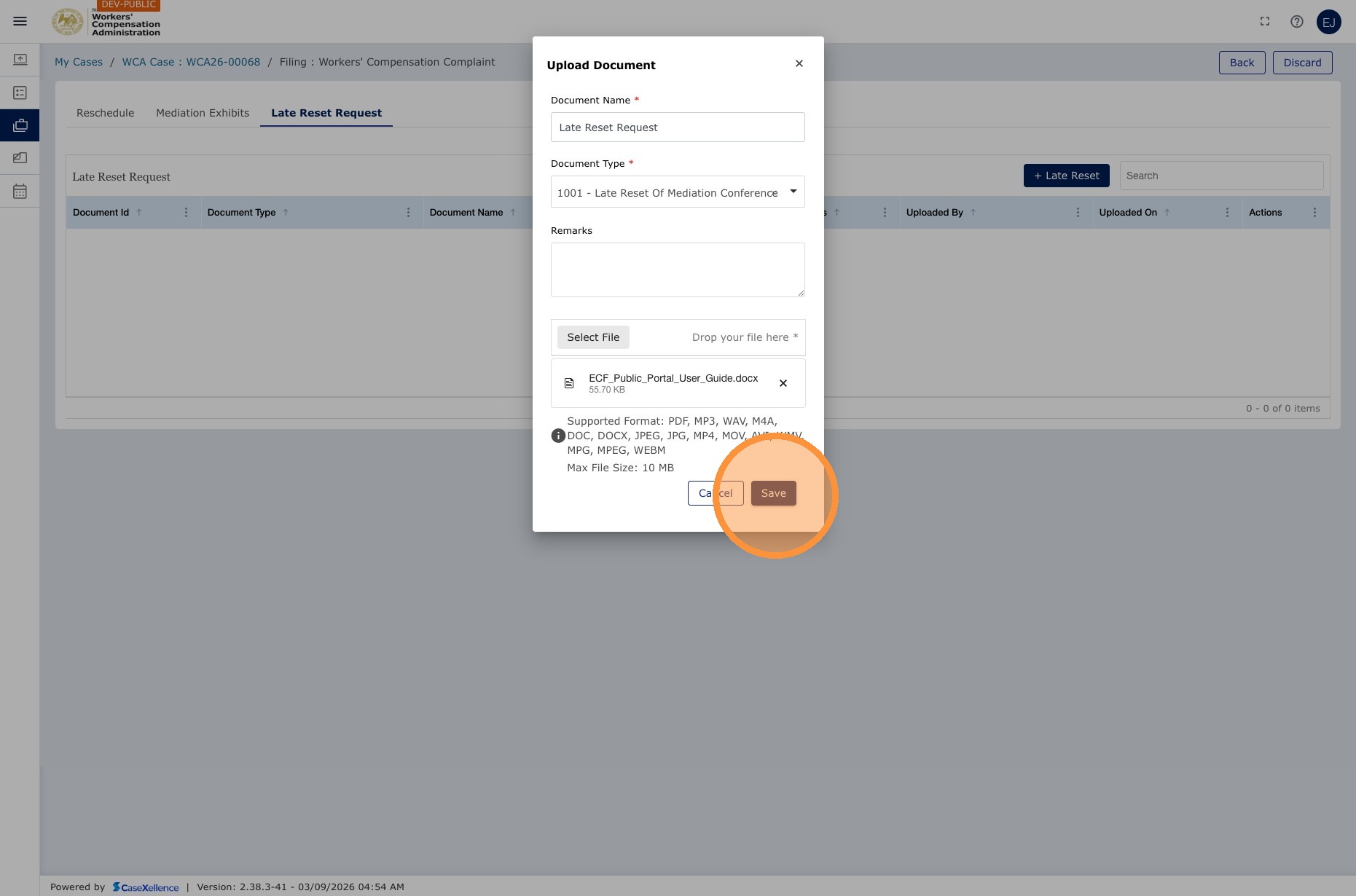
- Click + Late Reset and upload a signed Late Reset document.
- Complete the form, upload the document, and click Save.
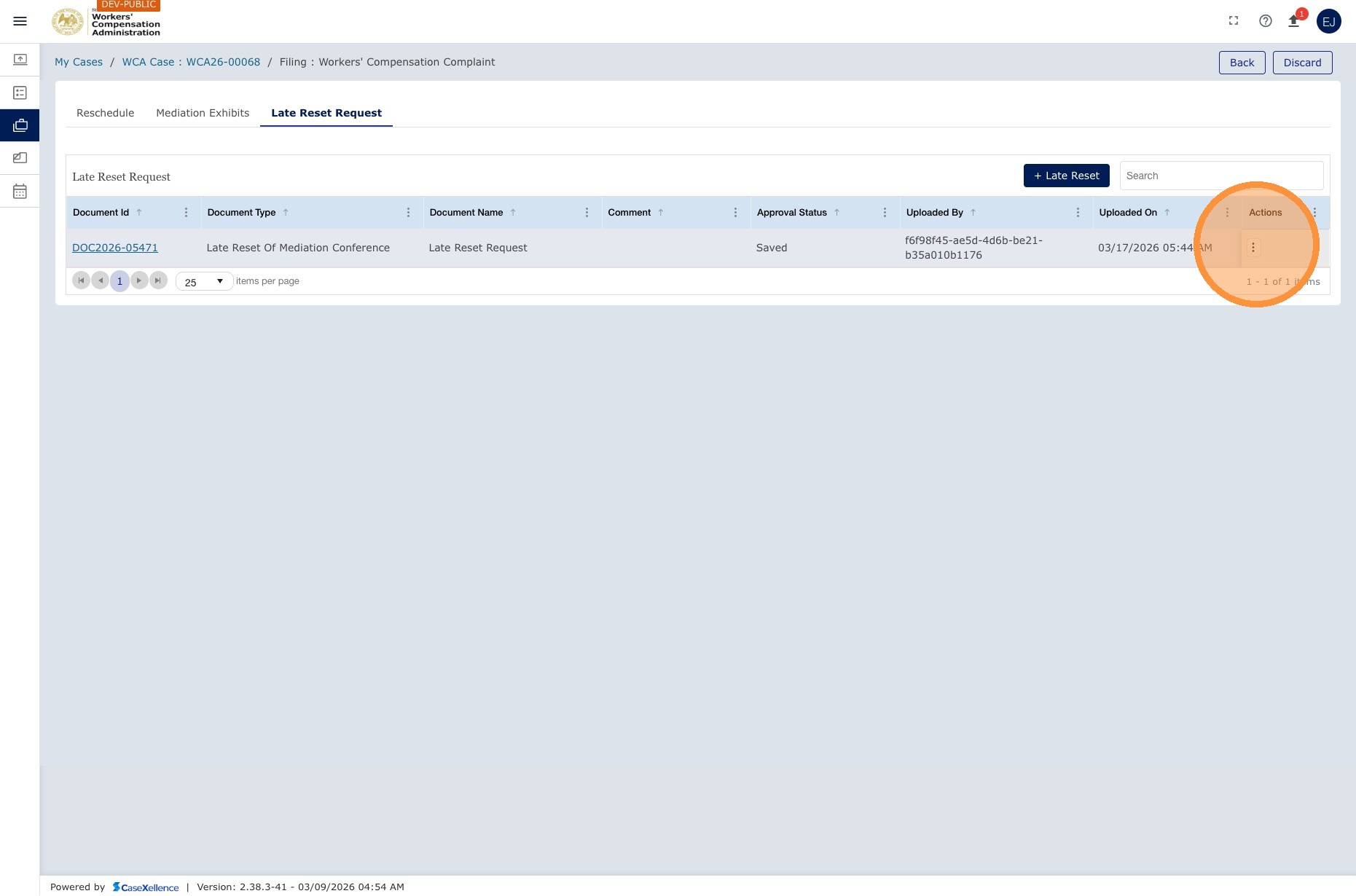
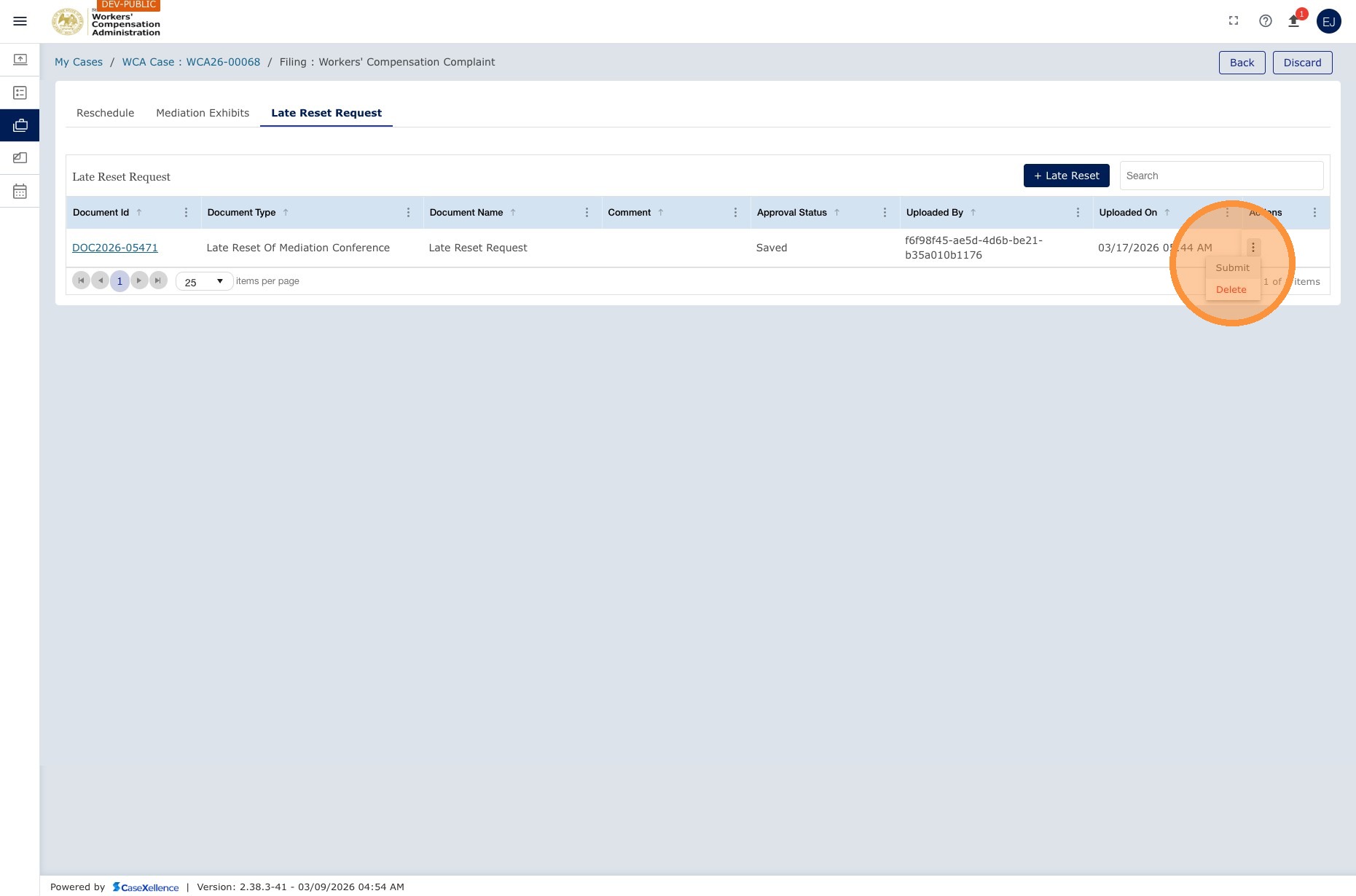
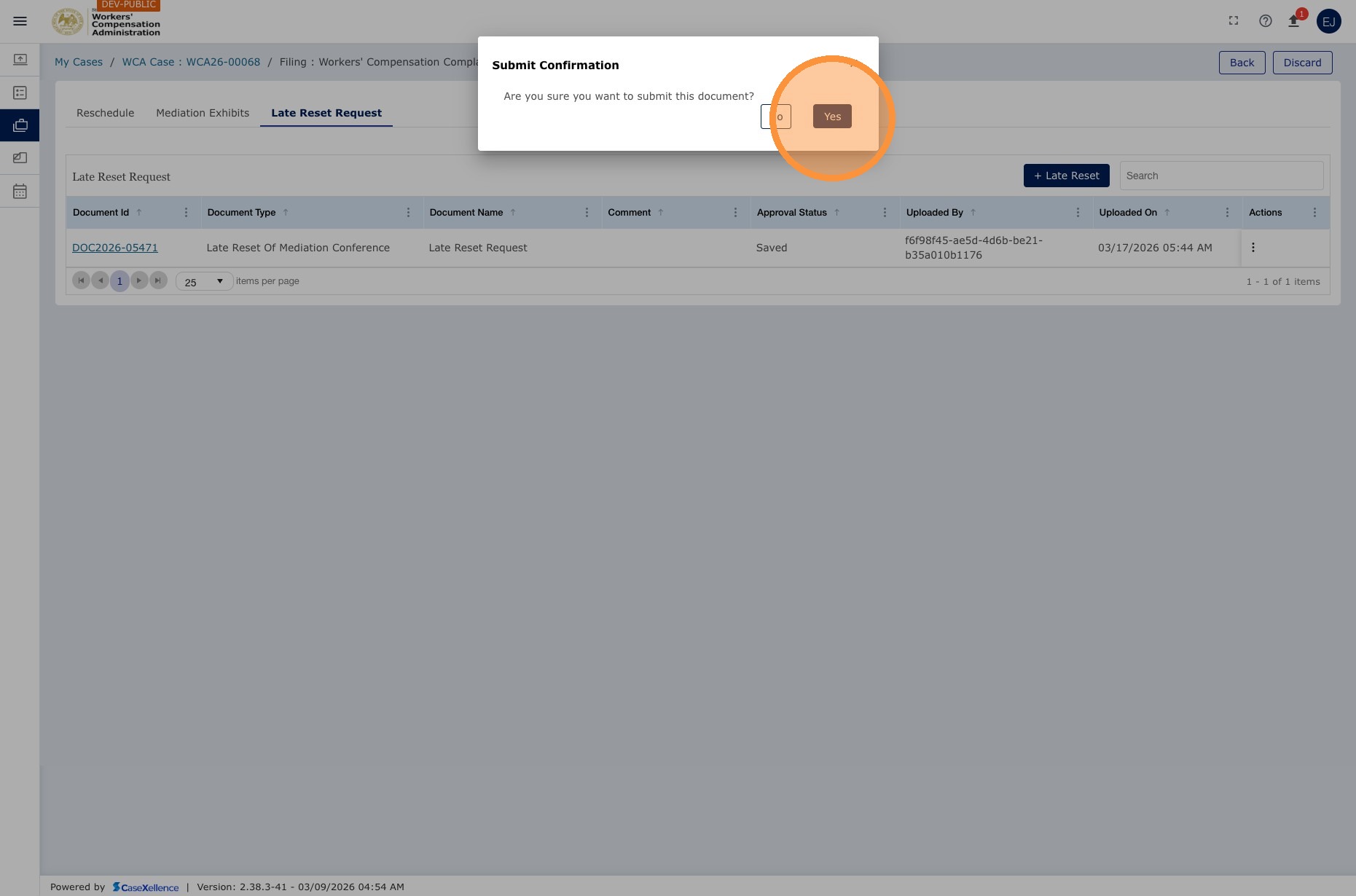
- Click the Action button and select Submit to send the request to the Mediation team.
What happens after submission
| Stage | Description |
|---|---|
| Status: Approval Requested | Your submission shows the status Approval Requested immediately. The Mediation Secretary and Mediation Chief then review the request. |
| Mediation Secretary review | The Mediation Secretary reviews the form, checks mediator availability, and creates a proposed new event for the Chief. |
| Bureau Chief approval | The Mediation Bureau Chief approves or rejects the proposed date. |
| If approved | A new mediation event is created with the approved date. A new Zoom link is generated, which is different from the original. A new Notice of Mediation Conference is sent to the Clerk's Office for e-filing. Once it is e-filed, all parties are notified by email. |
| If rejected | You are notified of the rejection and can submit a new Late Reset Request with a different proposed date. |
Note: Unlike standard rescheduling, a Late Reset Request creates a new mediation event with a new Zoom link. The original event is canceled. Make sure all parties have the updated Zoom details from the new Notice of Mediation Conference.
Before submitting a Late Reset Request, coordinate with opposing counsel on an available date. This reduces back-and-forth and speeds up approval.
See also: Mediation - Rescheduling · My Calendar · Contact Us
Portions of this user guide were produced with assistance from artificial intelligence tools; all content was reviewed for accuracy before publication.